
타입스크립트의 컴파일러 옵션은 tsconfig.json을 통해 설정할 수 있다.
자동 생성하기
tsc를 이용하면 기본 옵션이 설정된 컴파일러 옵션 파일을 자동 생성할 수 있다.
tsc --init
직접 설정하기
include 옵션
tsc에게 컴파일 할 타입스크립트 파일의 범위와 위치를 알려주는 옵션
{
    "include": ["src"]
}
target 옵션
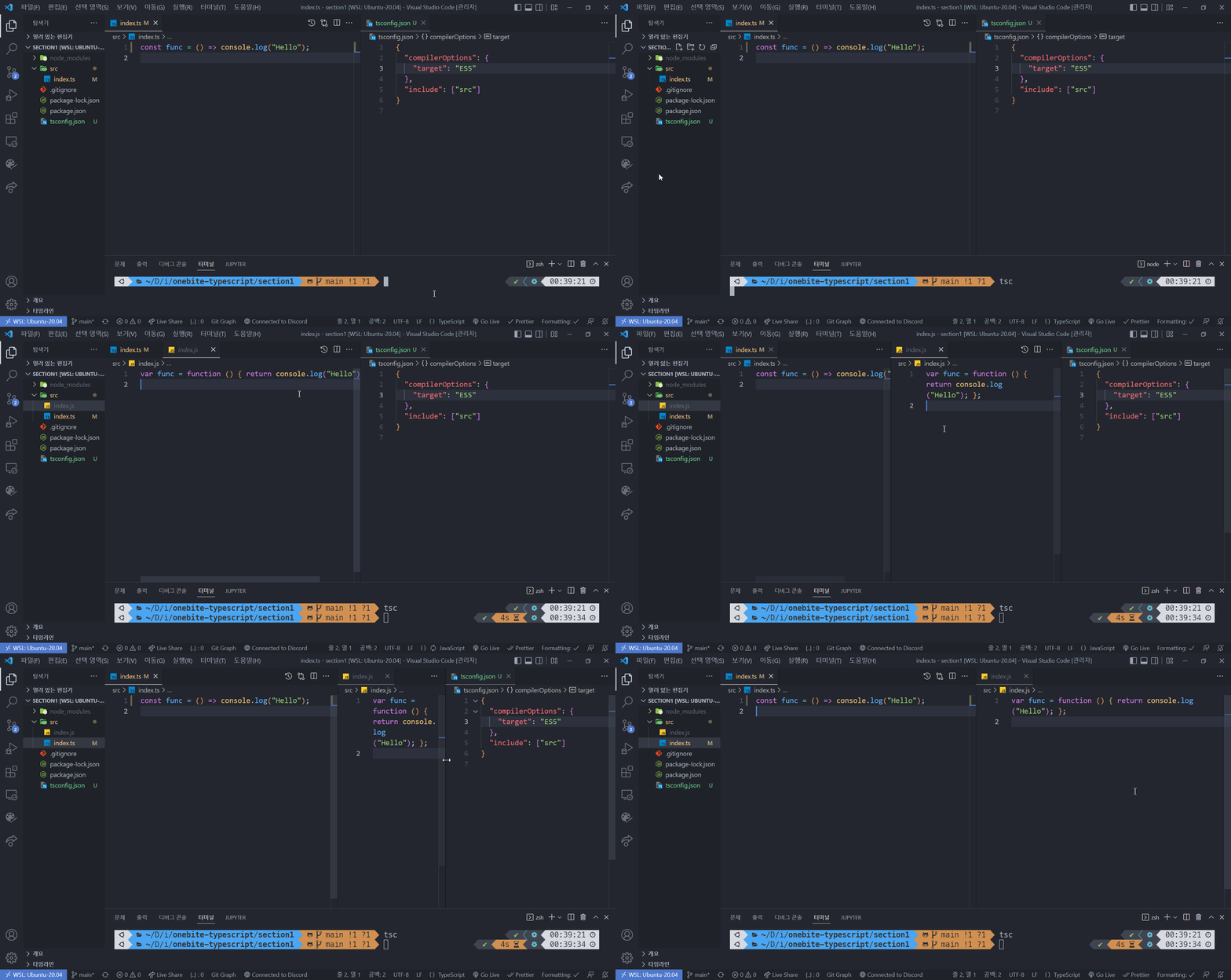
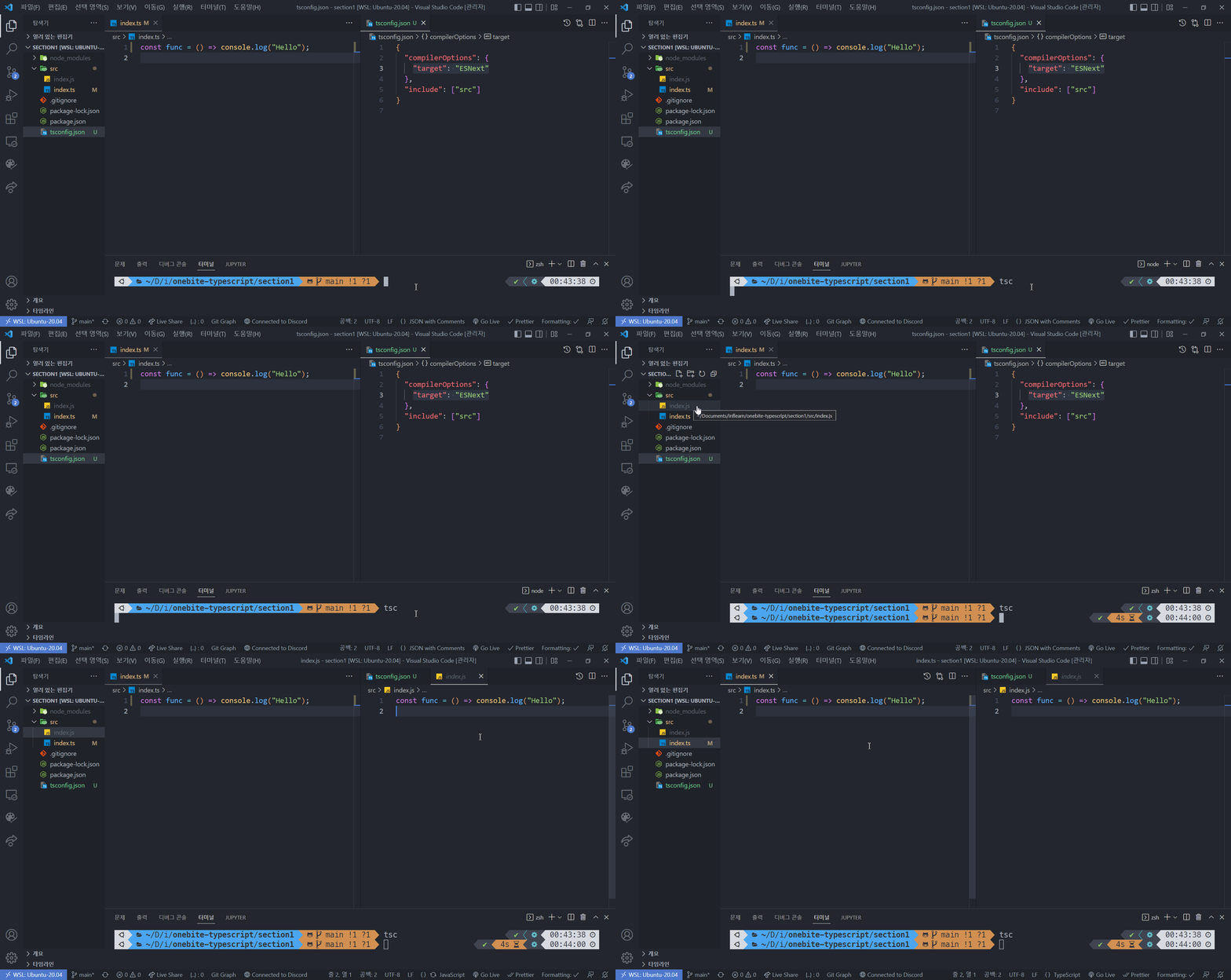
컴파일 결과로 생성되는 자바스크립트 코드의 버전을 설정하는 옵션
{
    "compilerOptions: {
        "target": "ES5"
    }
}
ES5로 변환
ESNext로 변환
module 옵션
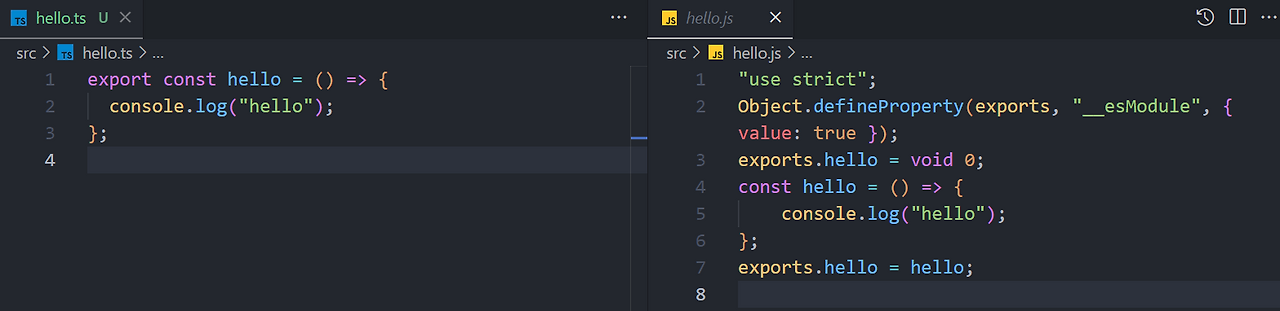
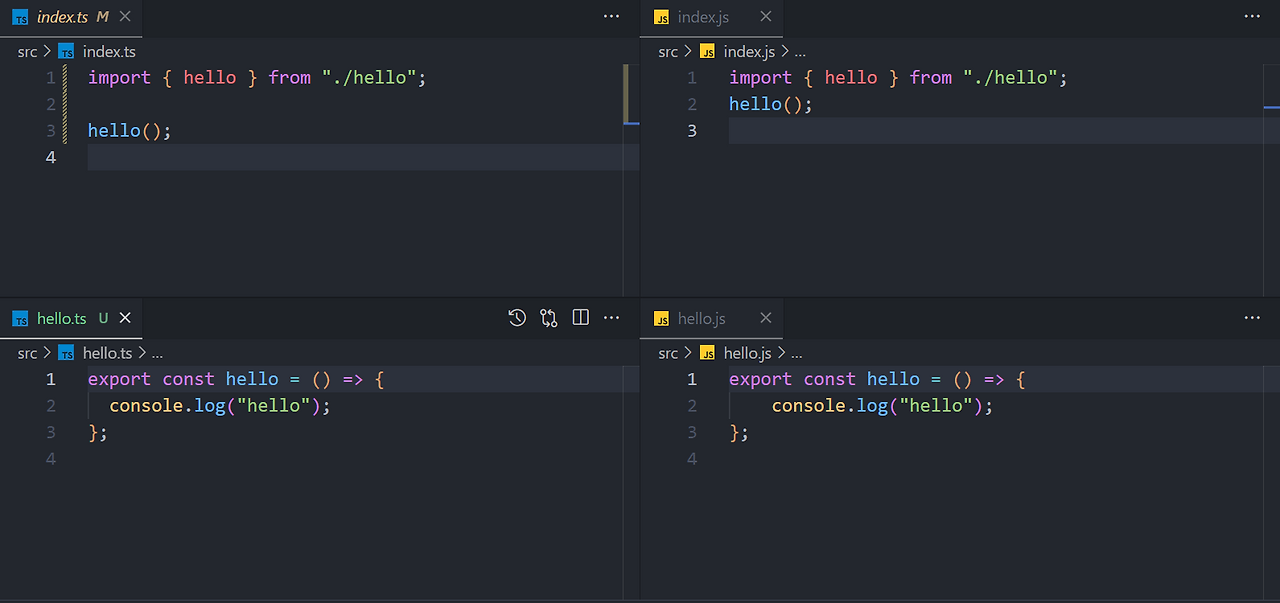
자바스크립트 코드의 모듈 시스템을 설정하는 옵션
{
    "compilerOptions: {
        "module": "CommonJS"
    }
}
CommonJS

ESNext
5. Node.js 모듈 시스템 - 3. Node.js
인사이트 도서 <한 입 크기로 잘라먹는 리액트> 를 미리 만나보세요
reactjs.winterlood.com
Modules: CommonJS modules | Node.js v25.0.0 Documentation
Modules: CommonJS modules# CommonJS modules are the original way to package JavaScript code for Node.js. Node.js also supports the ECMAScript modules standard used by browsers and other JavaScript runtimes. In Node.js, each file is treated as a separate mo
nodejs.org
outDir 옵션
컴파일된 자바스크립트 파일을 저장할 폴더를 지정하는 옵션
{
    "compilerOptions: {
        "outDir": "dist"
    }
}

strict 옵션
타입 검사의 엄격한 정도를 정하는 옵션
{
    "compilerOptions: {
        "strict": true
    }
}
엄격한 모드

느슨한 모드

ModuleDetection 옵션
타입스크립트의 모든 파일은 기본적으로 전역 파일(모듈)로 취급된다.


해당 옵션을 다음과 같이 설정하면 전역이 아닌 독립적인 로컬 모듈로 강제할 수 있다.
{
    "compilerOptions: {
        "moduleDetection": "force"
    }
}


ts-node 옵션
moduleDetection 옵션을 활성화 하고 타입스크립트 파일에서 모듈 시스템을 사용하게 되면 ts-node로 실행시 오류가 발생하게 된다.
ts-node는 기본적으로 CommonJS 방식으로 동작하기 때문이다.
그럴 땐, 다음과 같이 ts-node에게 ES 모듈 방식으로 동작하도록 옵션을 설정해주면 된다.
{
    "ts-node: {
        "esm": true
    }
}
TSConfig Reference - Docs on every TSConfig option
From allowJs to useDefineForClassFields the TSConfig reference includes information about all of the active compiler flags setting up a TypeScript project.
www.typescriptlang.org
'TIL' 카테고리의 다른 글
| [TS] 객체 타입 (0) | 2025.10.28 |
|---|---|
| [TS] 배열과 튜플 (0) | 2025.10.28 |
| [TS] 원시타입과 리터럴 타입 (0) | 2025.10.28 |
| 타입스크립트 실행 환경 설정 (0) | 2025.10.27 |
| Early Return Pattern (0) | 2025.10.27 |